Shizuku APK Not Working? 6 Fixes for Pairing, Reboot, MediaTek & Android 17 (2026)
Shizuku APK not working is the most searched Shizuku problem in late 2026, and the fix is almost always a setting, not a reinstall. Shizuku stops, fails to pair, or shows an empty app list more often than any other Android tool, and the error you actually see tells you which setting to fix.

Written by Omer Akbar, Author & SEO Expert - Fact-checked by Editorial Reviewer, 23 Nov 2026 - How we fact-check
Quick Answer, Shizuku APK not working
Shizuku APK not working is usually a setting, not a broken app: a pairing code that expired, a VPN blocking pairing, a battery setting killing the server, or the wrong build for your phone. Work through the error you see below. On Android 17 or MediaTek, install a fork instead of the official build.
1-2. Pairing failed & "Searching for pairing service"
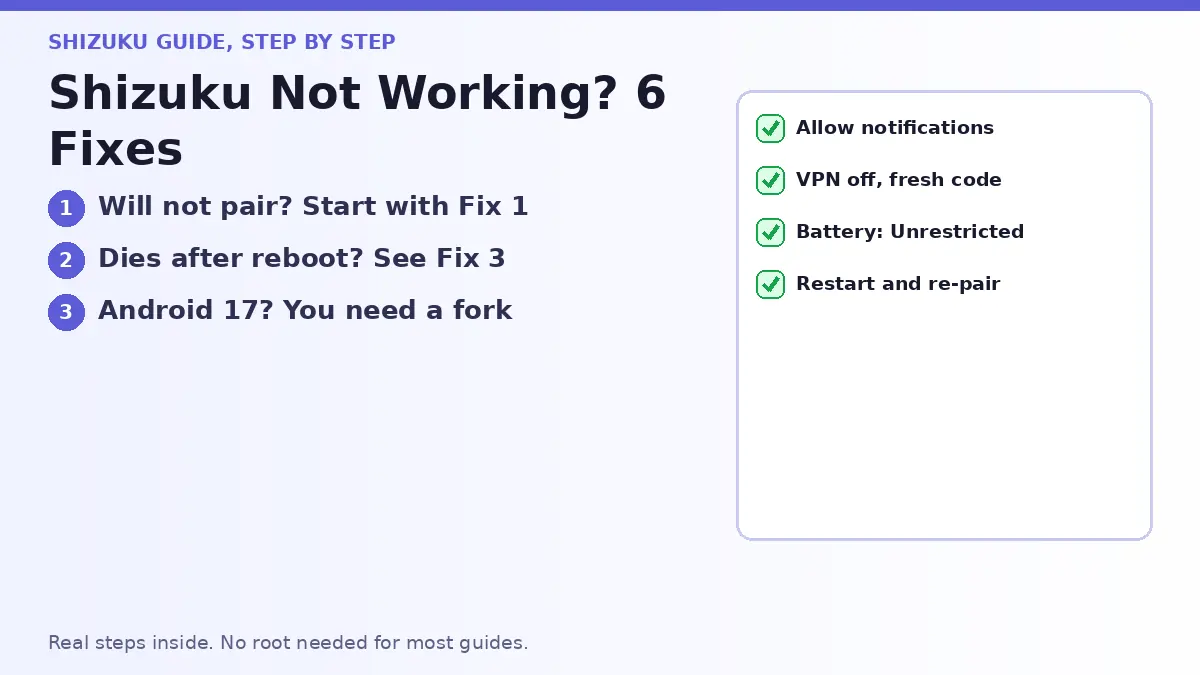
Generate a fresh code and enter it at once. If you are stuck on "Searching for pairing service", give Shizuku Unrestricted battery, toggle wireless debugging off and on, and turn off any VPN, on GrapheneOS a VPN breaks mDNS pairing completely. On Samsung, a Smart Switch transfer can corrupt the pairing state: forget the device and re-pair. All pairing fixes: pairing code not working.
3-4. Stops after reboot & "Please go through the pairing step first"
Stopping after reboot is normal in ADB mode, open Shizuku and tap Start again, or set up trusted Wi-Fi auto-start. If it stops when the screen turns off, set battery to Unrestricted and lock the app in recents. "Please go through the pairing step first" means the phone is not paired yet, pair with a fresh code before tapping Start.
5-6. MediaTek & Android 17
On MediaTek phones, official 13.6.0 has bug #1198, install thedjchi 13.7.0 or Shizuku-Next: MediaTek fix. On Android 17, official 13.6.0 shows "Authorized 0 applications" (issue #2180), install a fork: Android 17 guide. Also check your build: a pre-September 2026 Play install was the old 13.5.4, replace it with the GitHub 13.6.0 build.
Brand switches: Samsung, Xiaomi, OnePlus
Samsung: turn off Auto Blocker. Xiaomi: sign in so "USB debugging (Security settings)" appears, or you get "the permission of adb is limited". OnePlus / OPPO: turn off "Permission monitoring" in Developer Options. Brand guides: Samsung - Xiaomi HyperOS.
Frequently Asked Questions
Why is Shizuku APK not working after the Android 17 update?+
Official 13.6.0 is broken on Android 17 (issue #2180), it shows no authorised apps. Install Shizuku-Next or thedjchi 13.7.0.
Why does Shizuku APK stop working after every reboot?+
By design in ADB mode. Tap Start again, or use trusted Wi-Fi auto-start, root mode, or a fork with a watchdog.
Why is Shizuku not working on my MediaTek phone?+
Bug #1198 in official 13.6.0 breaks user services on Dimensity phones. A fork fixes it, reinstalling the official build will not.
What does "Authorized 0 applications" mean?+
On Android 17 it is the #2180 break. On older Android it usually means no app has asked for access yet, or authorisations were lost after switching builds.
Why does Shizuku say "The permission of adb is limited"?+
On Xiaomi it means "USB debugging (Security settings)" is off or hidden behind the account gate. On OnePlus / OPPO, turn off Permission monitoring.
About this guide
Shizuku APK not working? Work through the error you see: pairing failed, searching for pairing service, stops after reboot, MediaTek bug #1198, Android 17 no authorised apps, each with its fix. This guide is part of shizukuapk.pages.dev, an informational resource about Shizuku APK by Xingchen & Rikka (RikkaApps). It does not host the APK file, downloads link to the official GitHub releases page.
Version, size and hash figures are dated 23 Nov 2026, re-check the GitHub releases page before installing.
Related Guides
Fact-Check, Verified 23 Nov 2026
Fact-checked by Editorial Reviewer (Reviewer & Editor), 23 Nov 2026 - Written by Omer Akbar. The claims on this page, versions, dates, hashes and compatibility statements, were checked against the primary sources on our Sources page, following our Fact-Checking Policy and classified under our Editorial Policy (Official / Reported / Rumor). Found an error? Tell us and it will be re-verified and corrected on this page.