Shizuku APK Samsung: Setup, Auto Blocker & Smart Switch Fix (2026)
Shizuku APK Samsung setup works the same way as on any Android phone, until it doesn't. Samsung hides three switches that break it: Auto Blocker can grey out wireless debugging, One UI can kill Shizuku when the screen turns off, and a Smart Switch transfer can corrupt the pairing state so the phone gets stuck on "Searching for pairing service".

Written by Omer Akbar, Author & SEO Expert - Fact-checked by Editorial Reviewer, 23 Nov 2026 - How we fact-check
Quick Answer, Shizuku APK Samsung
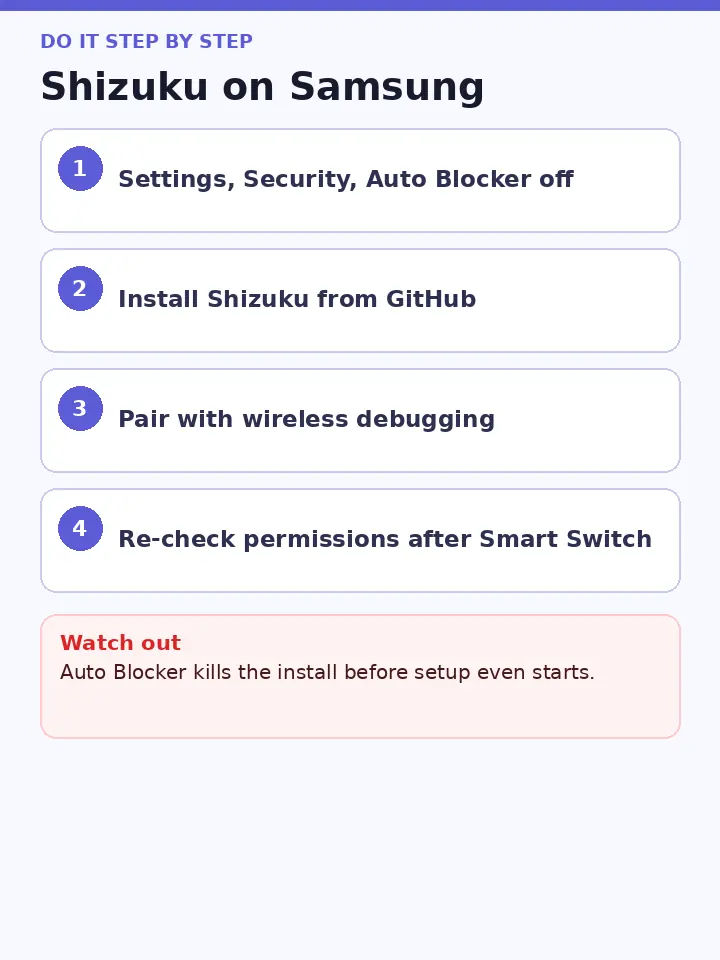
Shizuku APK Samsung setup needs three Samsung-specific steps: turn off Auto Blocker before you start, set Shizuku's battery to Unrestricted so One UI does not kill it, and forget the wireless-debugging device and re-pair after any Smart Switch transfer. On One UI 9 (Android 17), use the thedjchi 13.7.0 or Shizuku-Next fork instead of official 13.6.0. Download only from the official GitHub releases page.
How to set it up on Samsung
Do the Samsung steps first, then the generic ones: 1. Turn off Auto Blocker. 2. Install Shizuku from GitHub. 3. Enable Developer Options and Wireless debugging. 4. Pair with the 6-digit code and tap Start, following the wireless debugging guide. 5. Set battery to Unrestricted.
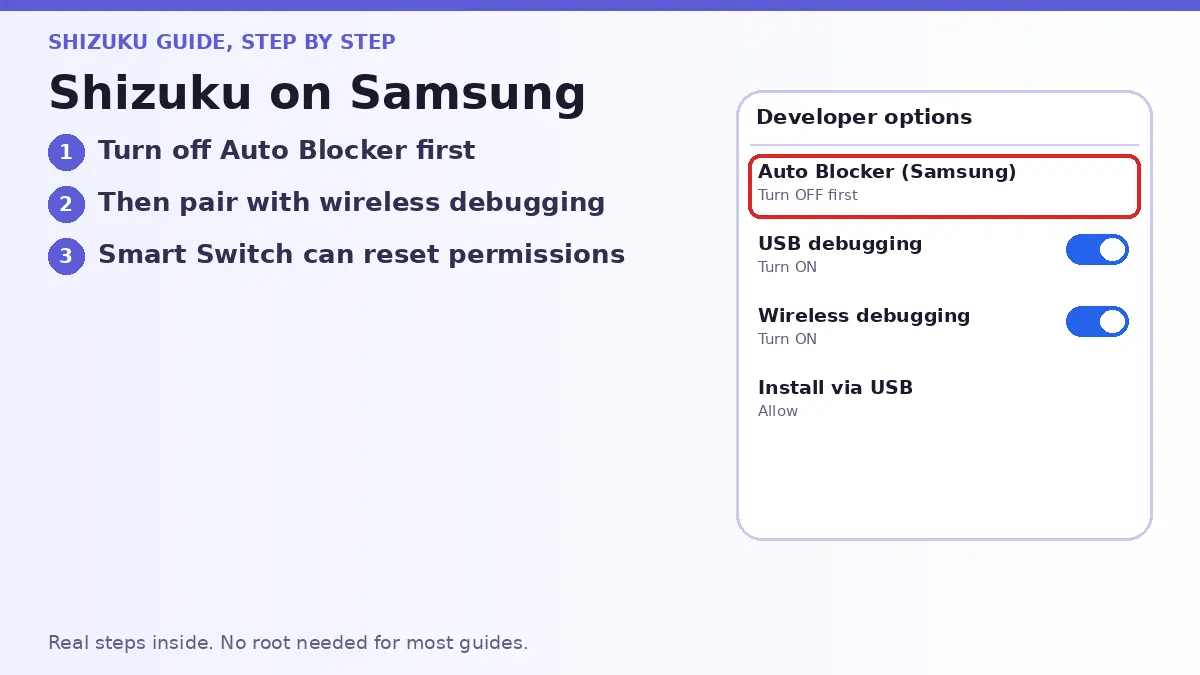
Auto Blocker, the switch that greys out wireless debugging
Auto Blocker can grey out wireless debugging and, on One UI 8.5+, can re-enable itself after about 30 minutes. Turn it off before you start, and check it again if pairing suddenly fails. On One UI 9, a Security Brief may also flag Shizuku, that is a warning about ADB access, not proof of malware.
Smart Switch, why pairing breaks after a transfer
A Smart Switch transfer can corrupt the wireless-debugging state, leaving you stuck on "Searching for pairing service". Forget the wireless-debugging device and re-pair from scratch after any transfer. More pairing fixes: pairing code not working.
Which version on Samsung, One UI 8 vs One UI 9
One UI 8 (Android 16 and below): official 13.6.0. One UI 9 (Android 17): a fork, because official 13.6.0 shows no authorised apps there, see Shizuku on Android 17. To debloat a Galaxy without root, pair Shizuku with Canta and follow its safety labels.
Frequently Asked Questions
Does Shizuku APK work on Samsung phones?+
Yes, with Auto Blocker off, battery set to Unrestricted, and a fresh pairing after any Smart Switch transfer.
Why is wireless debugging greyed out on my Samsung?+
Auto Blocker. Turn it off in Settings, then check Developer Options again.
Why is Shizuku stuck on "Searching for pairing service" after Smart Switch?+
Smart Switch corrupts the pairing state. Forget the device in Wireless debugging and re-pair from scratch.
Which Shizuku version should I install on a Galaxy S23 or S25?+
Official 13.6.0 on Android 16 and below; Shizuku-Next or thedjchi 13.7.0 on Android 17 (One UI 9).
Can I debloat my Samsung without root using Shizuku?+
Yes, start Shizuku, open Canta, and remove only apps labelled Recommended. Restore any time from Canta's Uninstalled tab.
About this guide
Shizuku APK Samsung setup: turn off Auto Blocker, set battery Unrestricted, and re-pair after Smart Switch. One UI 8 vs One UI 9 versions, Canta debloat, and the Samsung error table. This guide is part of shizukuapk.pages.dev, an informational resource about Shizuku APK by Xingchen & Rikka (RikkaApps). It does not host the APK file, downloads link to the official GitHub releases page.
Version, size and hash figures are dated 23 Nov 2026, re-check the GitHub releases page before installing.
Related Guides
Fact-Check, Verified 23 Nov 2026
Fact-checked by Editorial Reviewer (Reviewer & Editor), 23 Nov 2026 - Written by Omer Akbar. The claims on this page, versions, dates, hashes and compatibility statements, were checked against the primary sources on our Sources page, following our Fact-Checking Policy and classified under our Editorial Policy (Official / Reported / Rumor). Found an error? Tell us and it will be re-verified and corrected on this page.