Best Apps That Work With Shizuku in 2026, Canta, Hail, App Ops & More
Apps that work with Shizuku are the whole point of installing it. Shizuku on its own does nothing you can see, it starts one privileged server and lends its ADB shell identity to apps you approve. So the real question after setup is never "what is Shizuku?" but "which app do I open first?", debloat, freeze, back up, open a folder, or run a command.

Written by Omer Akbar, Author & SEO Expert - Fact-checked by Editorial Reviewer, 23 Nov 2026 - How we fact-check
Quick Answer, apps that work with Shizuku
Apps that work with Shizuku include Canta for debloat, Hail and IceBox for freezing apps, App Ops for permissions, Swift Backup for backup, aShell You for on-device ADB, InstallerX for split APKs, SD Maid SE for cleaning, and ZArchiver for Android/data access. Each app asks for Shizuku access once, you approve it, and you can revoke it later.
How apps that work with Shizuku actually get their power
Each app must add Shizuku support itself. Installing Shizuku does not give every app on your phone elevated access, each app asks, you approve it once inside Shizuku, and you can revoke it later from the Authorised Apps list. The trust decision is per app. Safety rules: Is Shizuku safe?
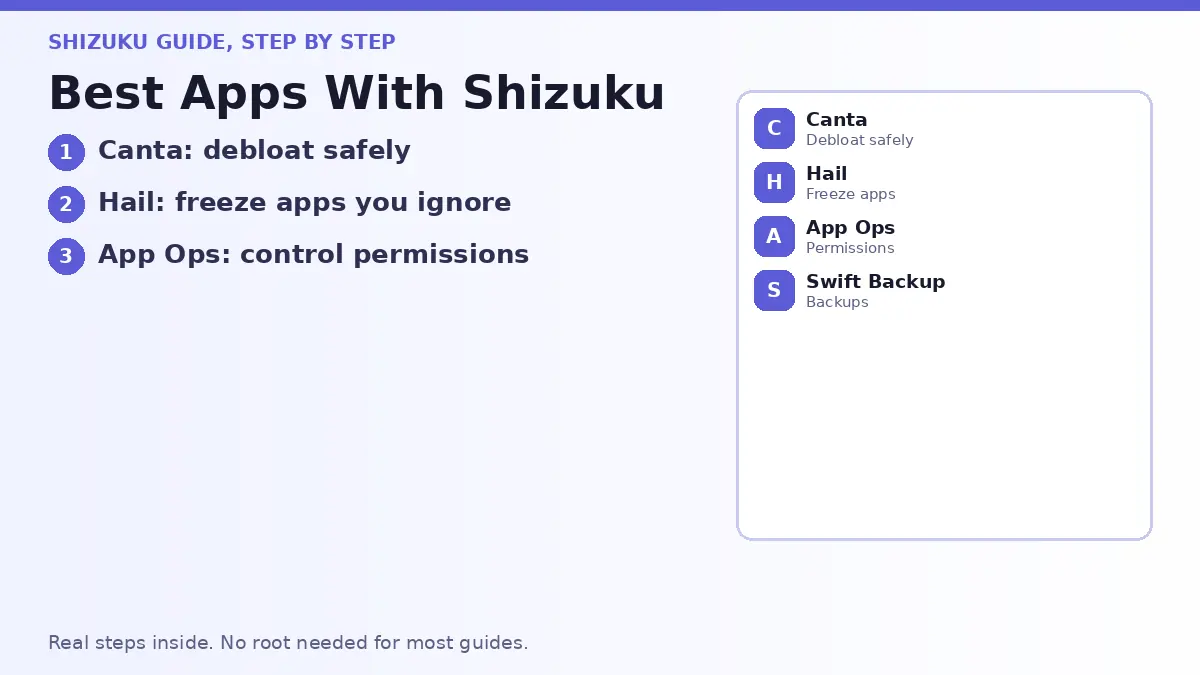
Which app should you open first?
Debloat Canta. Freeze Hail. Terminal aShell You. Privacy App Ops. Backup Swift Backup. Files ZArchiver. Every app is covered in the directory on this page below.
The full directory
Canta - Hail - IceBox - FreezeYou - aShell You - App Ops - Swift Backup - SD Maid SE - InstallerX Revived - SAI - ZArchiver - App Manager - Inure App Manager - Aurora Store - Droid-ify - DarQ - Repainter - LogFox - WiFiList - Blocker
Frequently Asked Questions
What apps work with Shizuku?+
Canta, Hail, IceBox, FreezeYou, aShell You, App Ops, Swift Backup, SD Maid SE, InstallerX Revived, SAI, ZArchiver, App Manager, Inure, Aurora Store, Droid-ify, DarQ, Repainter, LogFox, WiFiList and Blocker, each covered in the directory on this page.
Do I need root to use these apps?+
No. With Shizuku running in ADB mode, these apps get shell-level access without root. A few features (like full private-data restore) still need root.
Which app should I use to debloat without root?+
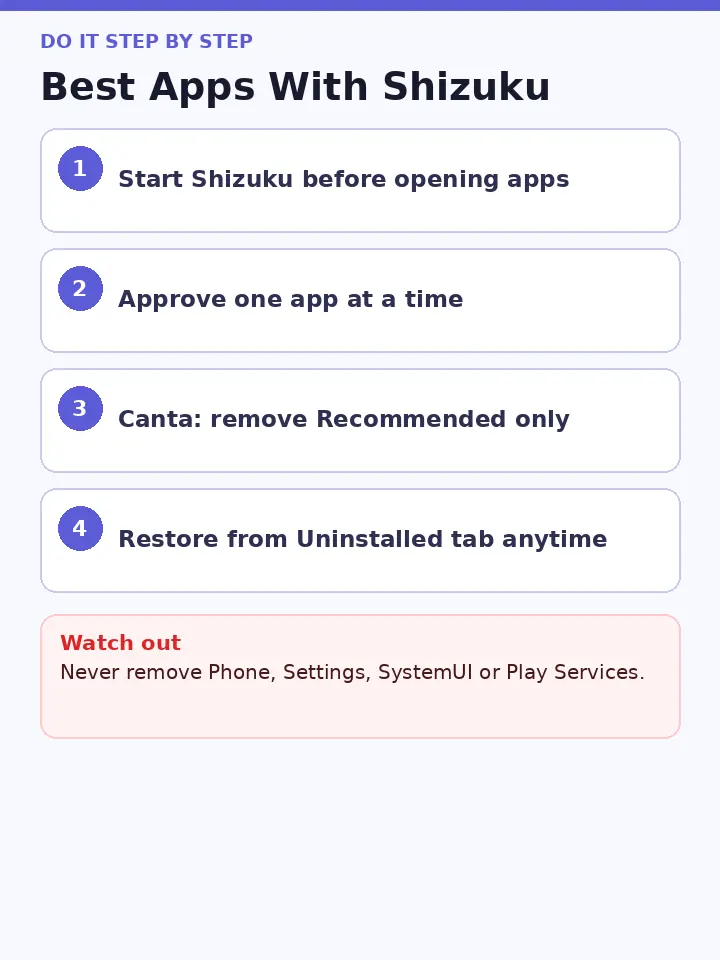
Canta, it labels apps Recommended, Advanced and Unsafe, and restores from its Uninstalled tab.
Should I freeze apps with Hail or uninstall them with Canta?+
Freeze first with Hail. If the phone works fine for a day, uninstall with Canta. Freezing is reversible in seconds.
Can these apps work on Android 17?+
Yes, with a fork running, Shizuku-Next or thedjchi 13.7.0. The official build cannot authorise apps on Android 17.
About this guide
Apps that work with Shizuku: Canta, Hail, IceBox, aShell You, App Ops, Swift Backup, SD Maid SE, InstallerX, ZArchiver and more, covering every app on this page, with the safe order to use them. This guide is part of shizukuapk.pages.dev, an informational resource about Shizuku APK by Xingchen & Rikka (RikkaApps). It does not host the APK file, downloads link to the official GitHub releases page.
Version, size and hash figures are dated 23 Nov 2026, re-check the GitHub releases page before installing.
Related Guides
Fact-Check, Verified 23 Nov 2026
Fact-checked by Editorial Reviewer (Reviewer & Editor), 23 Nov 2026 - Written by Omer Akbar. The claims on this page, versions, dates, hashes and compatibility statements, were checked against the primary sources on our Sources page, following our Fact-Checking Policy and classified under our Editorial Policy (Official / Reported / Rumor). Found an error? Tell us and it will be re-verified and corrected on this page.