Shizuku APK SHA-256, Verify the Official APK Before You Install
Shizuku APK SHA-256 verification is the one check that tells you whether the file you downloaded is the real RikkaApps build or a repack. Names, icons and version numbers can all be copied, a SHA-256 hash cannot. This page publishes the official file hash and signer fingerprint for v13.6.0, and shows you exactly how to compare them before you install.

Written by Omer Akbar, Author & SEO Expert - Fact-checked by Editorial Reviewer, 23 Nov 2026 - How we fact-check
Quick Answer, Shizuku APK SHA-256
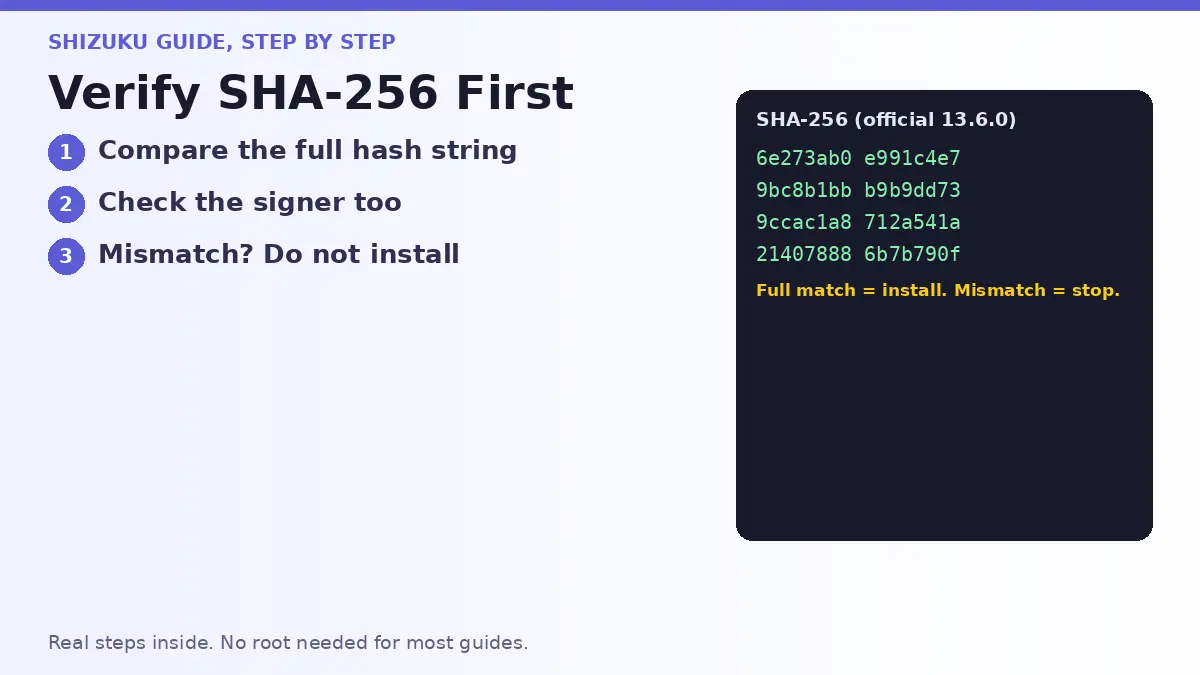
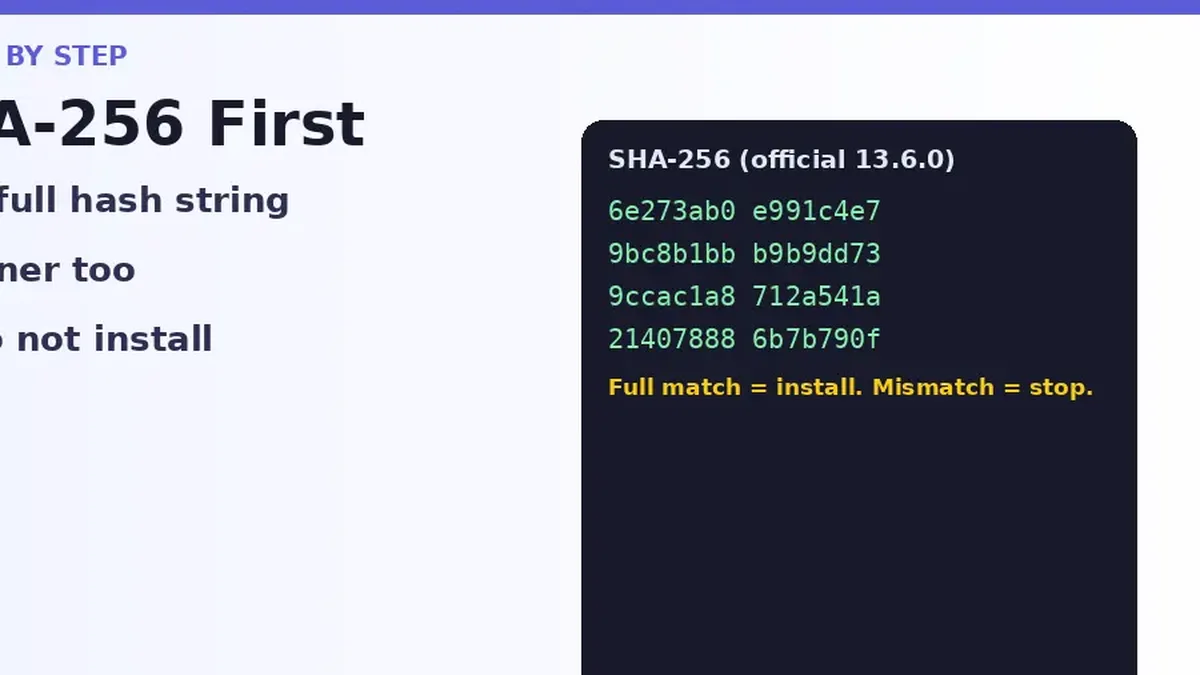
Shizuku APK SHA-256 for the official v13.6.0 (r1086) file is 6e273ab0e991c4e79bc8b1bbb9b9dd739ccac1a8712a541a214078886b7b790f, and the RikkaApps signer SHA-256 is 268b5590e868fb08bae7e0ac413564cd1ff88f5ccff74af9dbd0dc918e30db30. Download only from the official GitHub releases page, compute your file's hash, and compare the full string. If any character differs, do not install the file.
Why a hash, and not the name, icon or version number
Shizuku APK SHA-256 verification exists because everything visible about an APK can be copied. A repacked file can carry the real name, the real icon, the real version string, even a screenshot-perfect listing page. What it cannot carry is the same SHA-256 hash, because the hash is computed from the file's exact bytes. Change one byte anywhere in the APK and the 64-character fingerprint changes completely.
That makes the check simple and binary. Compute your file's hash, compare it with the official value on this page, character for character. Match: you have the untouched official file. Mismatch: you have something else, a different version, a fork, or a repack, and "something else" is not what you install when the app will broker shell-level access to your phone.
How to check the hash on Windows, Mac and Linux
On Windows, open Command Prompt in the folder holding the file and run certutil -hashfile shizuku.apk SHA256. On Mac or Linux, run sha256sum shizuku.apk in a terminal. Both print the file's SHA-256 in seconds, the file is only 2.45 MB. Compare the full 64-character string with the value above, not the first few characters; partial matches prove nothing, because the beginning is the easiest part to glance past.
No computer handy? A file manager or hash-checker app on the phone can compute SHA-256 before you open the installer, the point is to check before installing, not after. And check the file you actually downloaded, in the folder it actually sits in. Verifying a second copy from a second download tells you nothing about the first one.
File hash vs signer, check both
The file hash proves this exact file is untouched. The signer fingerprint proves who signed it, RikkaApps for the official build. A fork such as thedjchi 13.7.0 has its own file hash (published below) and its own signer, which is why forks cannot install over the official build. Background: Is Shizuku safe? - official vs forks.
Why do you need both? Because they answer different attacks. A file hash alone tells you the bytes match a published value, but only if the value itself came from a trustworthy page. A signer alone tells you who built the file, but not whether this copy was altered after signing, in practice Android enforces signatures at install, so a tampered file fails differently, but for files you have not installed yet, the hash is the check you can run anywhere, on any system, before anything executes.
The third check: package name
Before the hash, there is a ten-second check that catches the crudest fakes: the package name must be exactly moe.shizuku.privileged.api. Any variation, an extra letter, a different domain order, a "pro" or "plus" suffix, is not the official app, whatever the listing claims. App-info screens and APK analyser tools show the package name without installing anything.
Run the three checks together and in this order: package name (is it even claiming the right identity?), file SHA-256 (are these the exact official bytes?), signer (were they signed by RikkaApps?). A genuine file passes all three in under a minute. A file that fails any one of them has already told you everything you need to know, do not install it to find out more.
What to do if the hash differs
Delete the file. Do not install it "to see what happens", a repacked APK with the same name can carry anything, and fake Shizuku builds are a known malware path, precisely because users go looking for this app on APK sites. Download again from the official GitHub releases page and re-check. Also confirm the package name is exactly moe.shizuku.privileged.api.
But wait, one innocent mismatch exists. If you deliberately downloaded a different version, its hash differs legitimately: 13.5.4 is not 13.6.0, and the beta r1091 is not r1086. Every build has its own fingerprint, which is why the values on this page name their version. If your file claims to be 13.6.0 (r1086) and the hash differs, there is no innocent explanation. Version guidance lives in the old versions archive and the updates tracker.
Published hashes, compare the full string
Official 13.6.0 file SHA-256: 6e273ab0e991c4e79bc8b1bbb9b9dd739ccac1a8712a541a214078886b7b790f. Official signer SHA-256 (RikkaApps): 268b5590e868fb08bae7e0ac413564cd1ff88f5ccff74af9dbd0dc918e30db30. thedjchi 13.7.0 file SHA-256: 6ea6dee65d5ddc626b6b75b2c2f67f8cc547fa47d7b437e6892639c37eaffe43. These values are date-stamped 23 Nov 2026, if a newer official build ever ships, its hash will differ, and this page and the tracker will be updated with the new value and its release date.
Frequently Asked Questions
What is the Shizuku APK SHA-256 for v13.6.0?+
The official file SHA-256 for Shizuku 13.6.0 (r1086) is 6e273ab0e991c4e79bc8b1bbb9b9dd739ccac1a8712a541a214078886b7b790f, and the RikkaApps signer SHA-256 is 268b5590e868fb08bae7e0ac413564cd1ff88f5ccff74af9dbd0dc918e30db30. Both were checked on 23 Nov 2026 against the official GitHub release. Compare the full 64-character string, a partial match proves nothing about the rest of the file.
How do I verify a Shizuku APK with SHA-256?+
On Windows, run certutil -hashfile on the downloaded file with SHA256; on Mac or Linux, run sha256sum. Both print the file's fingerprint in seconds. Compare every character with the official value published on this page. On the phone, a hash-checker or file-manager app can compute it before you install. Check the actual file you downloaded, before installing it, not a second copy.
Is it safe if only the signer differs?+
A different signer means a different builder, the file is a fork, not the official build. Forks are legitimate open-source builds, but they are a separate trust decision: only install one if you chose that fork deliberately, from its own GitHub releases page, knowing its signer differs. If you downloaded what claimed to be the official build and the signer differs, delete it.
Where can I download Shizuku APK safely?+
Only from the official GitHub releases page for RikkaApps/Shizuku, that is the sole download source this site links for the official build, behind the 15-second timer on every download button. APK mirror sites can host anything under the same name and icon. After downloading from GitHub, the hash check on this page confirms the file arrived as the file that was published.
Does the hash change with every version?+
Yes. Every build has its own SHA-256, because the hash covers the file's exact bytes: 13.5.4, the r1091 beta and every fork all differ from 13.6.0 (r1086). That is why the published values on this page always name their version and check date. A file that claims to be 13.6.0 but hashes differently is not a version difference, it is the wrong file.
What if the hash matches but the package name does not?+
Then something is inconsistent, a genuine official file cannot have a different package name, because the package name is part of the signed bytes the hash covers. Treat any single failed check as a failed verification overall: package name, file hash and signer must all match. Delete the file and download again from the official GitHub releases page.
About this guide
Shizuku APK SHA-256 verification: the official file hash and RikkaApps signer fingerprint for v13.6.0, how to check with sha256sum or certutil, and what to do if the hash differs. This guide is part of shizukuapk.pages.dev, an informational resource about Shizuku APK by Xingchen & Rikka (RikkaApps). It does not host the APK file, downloads link to the official GitHub releases page.
Version, size and hash figures are dated 23 Nov 2026, re-check the GitHub releases page before installing.
Related Guides
Fact-Check, Verified 23 Nov 2026
Fact-checked by Editorial Reviewer (Reviewer & Editor), 23 Nov 2026 - Written by Omer Akbar. The claims on this page, versions, dates, hashes and compatibility statements, were checked against the primary sources on our Sources page, following our Fact-Checking Policy and classified under our Editorial Policy (Official / Reported / Rumor). Found an error? Tell us and it will be re-verified and corrected on this page.