Shizuku Trusted Wi-Fi Auto-Start, No Root, Starts After Reboot (2026)
Shizuku trusted Wi-Fi auto-start is the one feature in v13.6.0 that changes daily life with Shizuku. Before it, Shizuku stopped after every reboot and you had to open the app and tap Start again, every single morning. With it, Shizuku can come back on its own after a reboot, without root, as long as your phone is on a Wi-Fi network you already trusted for wireless debugging.

Written by Omer Akbar, Author & SEO Expert - Fact-checked by Editorial Reviewer, 23 Nov 2026 - How we fact-check
Quick Answer, Shizuku trusted Wi-Fi auto-start
Shizuku trusted Wi-Fi auto-start, added in v13.6.0, restarts Shizuku by itself after a reboot on Android 13+, without root, but only on a Wi-Fi network you already trusted for wireless debugging by ticking "Always allow on this network" when pairing. Turn on the in-app "Start on boot" switch, pair on that network first, and Shizuku re-enables wireless debugging at boot and starts itself.
How it actually works
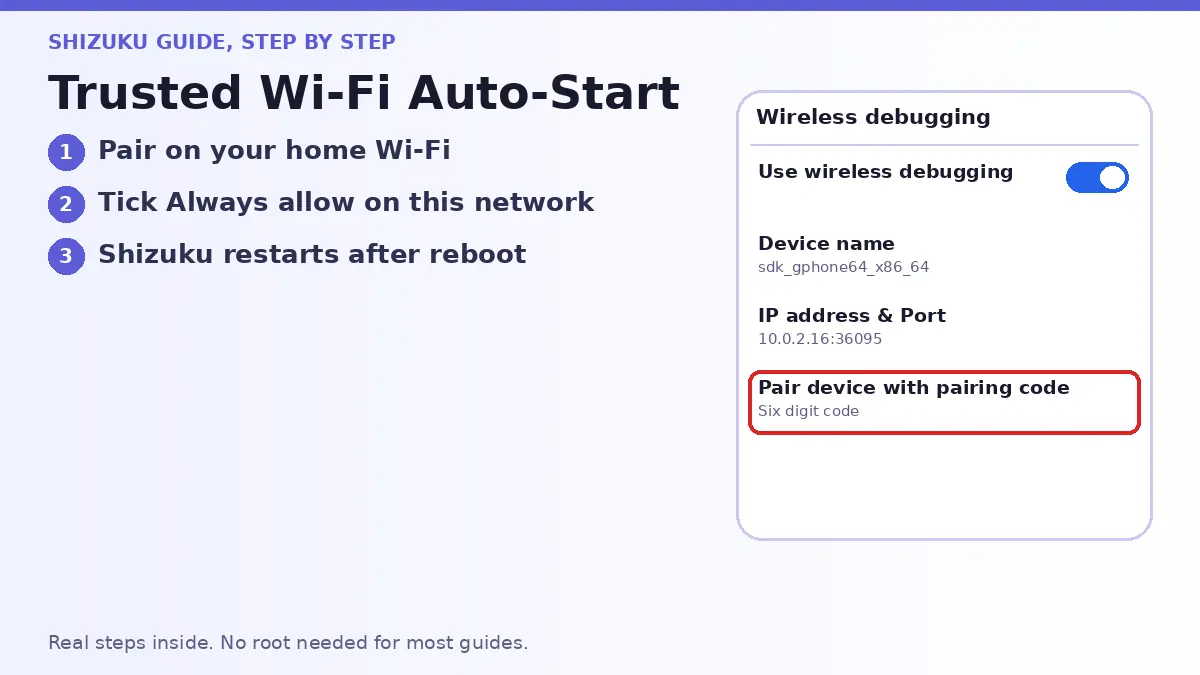
When you pair over wireless debugging and tick "Always allow on this network", Android remembers that network as trusted. At boot, on Android 13+, Shizuku can re-enable wireless debugging on that trusted network and start its server, no root, no PC. On any other network, it waits. The in-app switch is still labelled "Start on boot (root)", even though it now covers the trusted Wi-Fi case too.
How to turn it on, step by step
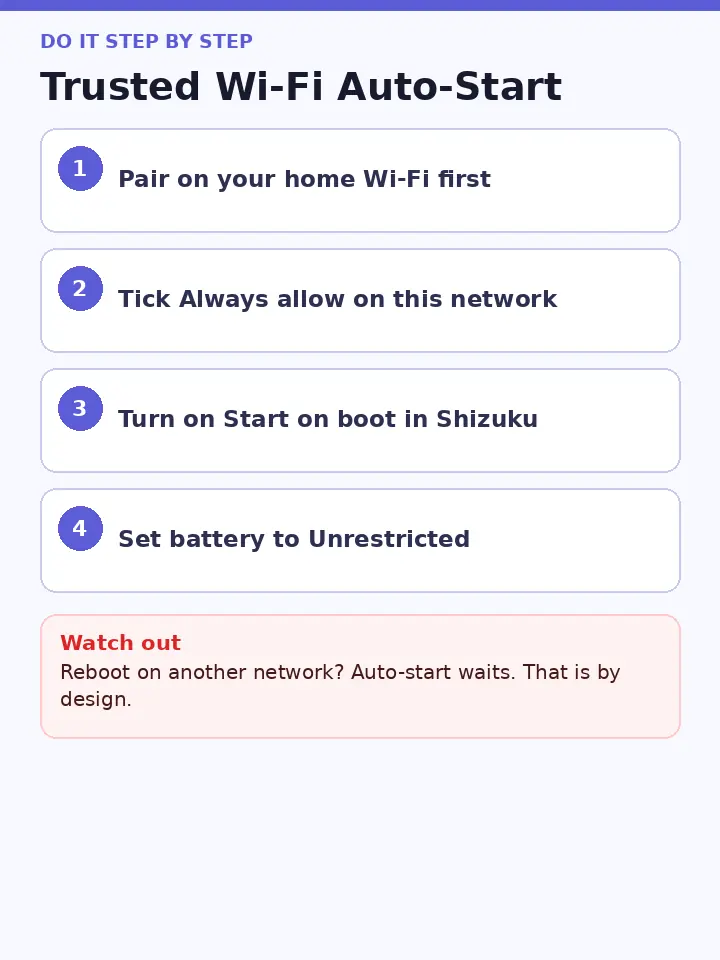
1. Update to official 13.6.0 from GitHub. 2. Pair on your home Wi-Fi with the wireless debugging guide, ticking "Always allow on this network". 3. Turn on the "Start on boot" switch in Shizuku. 4. Reboot on that same network and check that Shizuku is running. 5. Set battery to Unrestricted so the system does not kill it later.
Auto-start vs root vs fork watchdog
Trusted Wi-Fi auto-start: no root, but only on a trusted network and only Android 13+. Root mode: starts on boot anywhere, but needs root. Fork watchdog (thedjchi, Shizuku-Next): restarts the server if it is killed, and forks add start on boot, see Shizuku-Next. Full comparison: official vs forks.
Why it sometimes does not start
Usually one of four reasons: you rebooted on a different network, "Always allow" was never ticked for this network, battery restrictions killed the app, or you are on Android 12 or below, where the feature does not exist. Also note the start-command change in 13.6.0: the old start.sh command was removed, copy the new command from "View command" in the app.
Frequently Asked Questions
What is Shizuku trusted Wi-Fi auto-start?+
A v13.6.0 feature that restarts Shizuku after a reboot on Android 13+, without root, on a Wi-Fi network you trusted for wireless debugging.
Do I need root for Shizuku trusted Wi-Fi auto-start?+
No. That is its point, boot start without root. It does need Android 13+ and a trusted network.
How do I trust a Wi-Fi network for Shizuku?+
Pair over wireless debugging on that network and tick "Always allow on this network", then turn on "Start on boot" in Shizuku.
Does trusted Wi-Fi auto-start work on Android 12 or below?+
No. It needs Android 13+. Below that, use root mode or a fork with start on boot.
What is the difference between trusted Wi-Fi auto-start and a fork watchdog?+
Auto-start brings Shizuku back at boot on a trusted network. A watchdog restarts the server any time it is killed, on any network.
About this guide
Shizuku trusted Wi-Fi auto-start: the v13.6.0 feature that restarts Shizuku after a reboot on Android 13+, no root, how it works, how to turn it on, and why it sometimes does not start. This guide is part of shizukuapk.pages.dev, an informational resource about Shizuku APK by Xingchen & Rikka (RikkaApps). It does not host the APK file, downloads link to the official GitHub releases page.
Version, size and hash figures are dated 23 Nov 2026, re-check the GitHub releases page before installing.
Related Guides
Fact-Check, Verified 23 Nov 2026
Fact-checked by Editorial Reviewer (Reviewer & Editor), 23 Nov 2026 - Written by Omer Akbar. The claims on this page, versions, dates, hashes and compatibility statements, were checked against the primary sources on our Sources page, following our Fact-Checking Policy and classified under our Editorial Policy (Official / Reported / Rumor). Found an error? Tell us and it will be re-verified and corrected on this page.